Some links may earn us a commission at no cost to you. Learn more.
In this guide
Quick answer. To keep Wi-Fi on during a power outage, you need to power every box between the wall and your devices. That usually means the modem or fibre box (ONT) plus the router. A mini UPS made for networking gear covers a few hours. A portable power station covers a day or more for this small load. Your provider’s network outside must also still be up.
Losing Wi-Fi in a power cut feels like losing the news, your work and your way to check on family all at once. The good news is that the gear involved uses little power, so keeping it online is one of the cheapest backup jobs in the house.
This guide explains what has to stay powered, how much power it uses, which battery options fit, and why your Wi-Fi can still drop even when your router is running. We have not tested these products ourselves. Watt figures come from the maker pages we link, and runtimes are our own arithmetic from those figures.
Why your Wi-Fi goes down when the power does
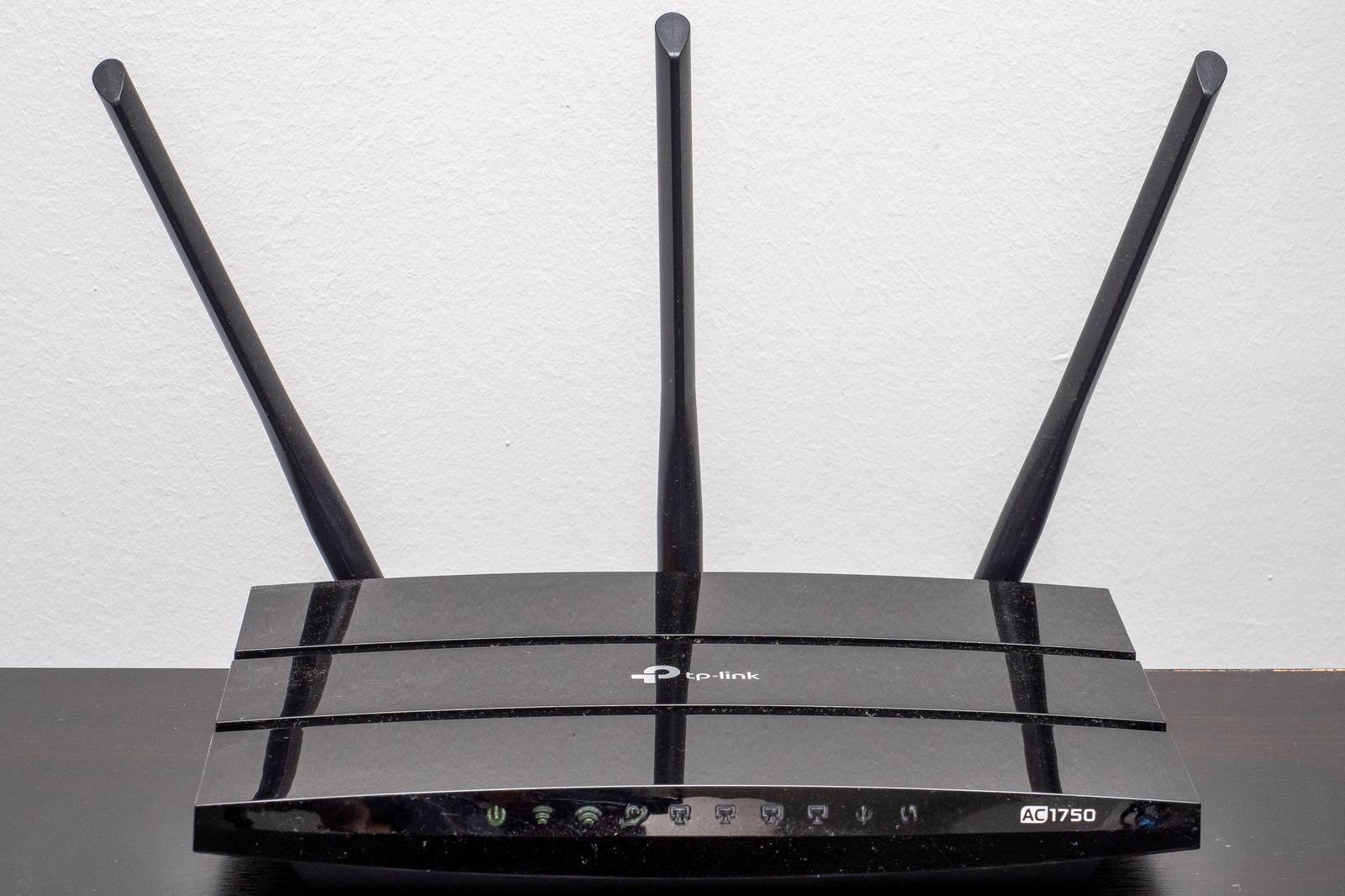
Your Wi-Fi depends on a short chain of boxes. A signal arrives by cable, fibre, phone line or a cell signal. A modem or fibre box turns it into internet. A router then shares it by Wi-Fi. Every one of those boxes plugs into the wall.
The consumer office in Fairfax County, Virginia puts it plainly. It says internet delivered over coaxial or fibre cable will not work in a power cut unless you have a way to power your modem and router. It adds that fixed wireless home internet, such as the service T-Mobile sells, also stops unless you power the modem and router.
Old copper phone lines were different. The FCC explains that traditional phone service is usually powered over the copper line itself, while broadband phone service will not work in an outage without a battery or other backup.
Your provider’s battery may not cover Wi-Fi
Many homes already have a battery in the fibre or phone box. It is easy to assume it keeps the internet going. Often it does not.
FCC rules require providers of home phone service that is not line powered to offer customers a backup power option. The FCC says that since 13 February 2019 these providers must offer at least one option with 24 hours of standby backup power. That rule is about keeping 911 calls working, not your Wi-Fi.
Verizon is a clear example. Its support page for the Fios battery backup unit says a fully charged 12 V battery gives up to 8 hours of backup power for voice services, including 911 calls. It also says the backup does not support internet or TV during an outage. Its PowerReserve page says the same about the D cell version.
So check what your box actually does. Ask your provider these questions.
- Does the battery in my equipment power internet, or only the phone line?
- Which boxes in my home need mains power for internet to work?
- Does your network in my street have backup power, and for how long?
- Do you offer a cellular backup option for outages?
What has to stay powered
Walk the chain in your home and write down every box. A typical setup looks like one of these.
- Cable internet. A cable modem and a router, or one combined gateway.
- Fibre internet. A fibre box (ONT) on the wall plus a router. Some providers combine them.
- Fixed wireless or 5G home internet. One gateway box that receives a cell signal.
- Mesh Wi-Fi. A main router plus extra mesh points. You can leave the extra points off in an outage to save power, as long as the rooms you need are in range of the main unit.
Do not forget small things in the chain, such as a network switch between the modem and router. If any box loses power, the whole chain stops.
How much power your network gear uses
Network gear is a small load compared with a fridge or heater. The simplest way to find your number is the power adapter label on each box.
Netgear publishes the adapter rating for its routers and says your router’s power consumption does not exceed that rating. Volts times amps gives the maximum watts.
| Adapter rating listed by Netgear | Maximum watts | Example models on Netgear’s list |
|---|---|---|
| 12 V 1 A | 12 W | R6020, R6080, R6120 |
| 12 V 1.5 A | 18 W | RAX10, RAX35, R6700AX |
| 12 V 2.5 A | 30 W | RAX50, XR1000, R7000P |
| 12 V 3.5 A | 42 W | RAX70, RAX78, R7800 |
| 19 V 3.16 A | about 60 W | RAX80, RAX120, RAXE500 |
These are ceilings, not typical use. A router usually draws less than its adapter can supply. Add the adapter rating of your modem or fibre box to get a safe planning total. If you own a plug in power meter, measure the real draw and use that instead.
For other devices you might add, such as a laptop or a lamp, see our appliance wattage chart.
Option one, a mini UPS made for routers
A mini UPS is a small battery that sits between the wall and your router. When the power cuts, it keeps feeding the router with no gap, so your connection does not even blink.
Some are built only for network gear and output DC power directly. APC says its Back-UPS Connect range is designed to power networking equipment and run a router, modem and other low power devices for 3 to 5 hours. Its 12 V lithium model is listed with up to 4 hours of runtime for an average router and comes with extra DC tips to fit different plugs.
A mini UPS is a good fit if your outages are usually short. It switches over by itself, it is small enough to hide behind the router, and it keeps working while you are asleep or away.
Its limit is time. A few hours covers many outages, but storms can last much longer. A regular desktop UPS sold for computers is often sized for a few minutes at full load, so check its runtime chart at your real load before you rely on it for the router.
Before you buy, check these points.
- The output voltage matches your router and modem adapters, or the unit has normal AC outlets.
- It has enough outputs for every box in your chain.
- The maker publishes a runtime figure at a load close to yours.
Option two, a portable power station
A portable power station holds far more energy than a mini UPS. For a load this small, even a mid size station can keep the internet up for a day or more.
The basic sum is simple. Usable hours equal watt hours times a planning factor, divided by your watts. We use 0.85 for the factor to allow for losses. The table shows our arithmetic for three planning loads based on the adapter ratings above.
| Station capacity | At 20 W | At 40 W | At 60 W |
|---|---|---|---|
| 300 Wh | about 12.5 hours | about 6.5 hours | about 4 hours |
| 500 Wh | about 21 hours | about 10.5 hours | about 7 hours |
| 1,000 Wh | about 42 hours | about 21 hours | about 14 hours |
| 2,000 Wh | about 85 hours | about 42 hours | about 28 hours |
There is one catch with tiny loads. When you use a station’s AC outlets, its inverter uses some power of its own just to stay on. With a 20 W router that overhead can be a big share of the total, so real runtime can be well below the table. Check the station’s manual for its idle draw if it lists one.
To run your own numbers, use our power station runtime calculator. Our guide on how long a power station lasts explains why real runtime differs from the label.
Use pass through or UPS mode
Many stations can stay plugged into the wall and pass power through to your devices, then switch to battery when the grid drops. Switchover times vary. The EcoFlow DELTA 3 Ultra manual lists a switch to battery within 10 ms, for example. The same manual says the AC output can switch off after a period of light use, and tells you to set the timeout to never for critical loads. A small router load can trigger that kind of timeout, so check this setting on your own station.
Skip the inverter with 12 V DC
Many routers run on 12 V DC. Most power stations have a 12 V car style socket or DC barrel ports. With the right cable, you can run a 12 V router straight from the station and avoid the inverter’s overhead.
Be careful with this. The voltage must match the router’s original adapter, the plug must fit, and the polarity must be right. Netgear’s own list shows some routers on 19 V adapters, so a 12 V port will not suit every model. If you are unsure, use the station’s AC outlet and the original adapter. In a long outage you can also top the station up on a drive, and our guide to charging a power station from a car covers how long that takes.
Option three, a generator
A generator can keep the router going for days if you have fuel, but it is a heavy tool for a small job. Most people run a generator for the fridge, freezer and heating first, and the router comes along on the same supply.
Safety comes first. The CPSC says never to run a portable generator inside a home, garage, basement, crawlspace or shed, and to run it outside at least 20 feet from the house with the exhaust pointed away. Opening doors or windows does not provide enough ventilation.
A good pattern is to charge a power station from the generator during the day, then run the router from the station overnight with the generator off. Our guide to standby vs portable generators covers the choices, and the generator size calculator helps with sizing.
When Wi-Fi still fails with backup power
Powering your router only solves half the problem. Your provider’s equipment in the street also needs power. If the network outside your home goes down, your router will stay on but show no internet.
Providers handle this in different ways. Comcast offers a cellular backup to some Xfinity customers through its Xfinity Pro add on. Its Xfinity Pro WiFi Extender page says the device switches to a 4G LTE connection during a network outage, and an optional battery keeps it running for up to four hours in a power outage. It lists backup speeds of up to 30 Mbps down and 7 Mbps up, with limits on which homes are eligible.
Your phone is the other fallback. The Fairfax County guide notes that cell towers have their own backup power, which may last for many hours but not forever. It also warns that networks can get overwhelmed when many people in one area use them at once.
The FCC suggests limiting non emergency calls, trying text messages when calls fail, and dimming your screen to save battery. That advice applies to hotspot use too. Download what you need while the signal is good, then switch the hotspot off.
How long should you plan for
Most outages are short, but the long ones are the ones that hurt. The EIA says US electricity customers averaged 11 hours of interruptions in 2024, nearly twice the average of the decade before. Major events such as hurricanes caused 80% of those hours. Outside major events, interruptions usually add up to about two hours a year.
That suggests a simple way to choose.
- Mostly short outages and little storm risk. A mini UPS built for routers is often enough.
- Storms, ice or wildfire shutoffs in your area. A power station of a few hundred watt hours or more covers the router overnight and charges phones too.
- Multi day outages are common. Pair a power station with solar panels or a generator so you can recharge.
A simple setup plan
- List every box. Modem or fibre box, router, mesh points and any switch. Note each adapter rating.
- Add up the watts. Use adapter ratings as a ceiling, or measure with a plug in meter.
- Ask your provider. Find out what its battery covers and whether a cellular backup is offered.
- Pick your backup. A mini UPS for short gaps, or a power station for long ones.
- Set it up now. Plug the network gear into the backup permanently so switchover is automatic.
- Check the settings. Turn off any AC auto off timer on a power station that runs the router.
- Test it. Unplug the backup from the wall for a few minutes and confirm the Wi-Fi stays up.
- Keep a phone fallback. Keep phones and a power bank charged before storms.
For the rest of the house, see our power outage preparation checklist. If you rent, backup power for apartments and renters covers options that work without a generator. If someone at home uses a CPAP or oxygen, read our guides on power stations for a CPAP and backup power for an oxygen concentrator, since medical devices should come before Wi-Fi on any shared battery.
Bottom line
Keeping Wi-Fi on in an outage is mostly about powering two or three small boxes. Read the adapter labels, add up the watts and pick a backup that covers the outages you actually get. A mini UPS made for routers gives a few hours with no effort. A portable power station gives a day or more. Neither helps if your provider’s network goes down, so keep a charged phone as your backup to the backup.
Frequently asked questions
Will my Wi-Fi work if the power goes out?
Not on its own. Your router, modem and any fibre box run on mains power, so they switch off with everything else. If you power them from a battery, your Wi-Fi can keep working as long as your provider's network outside the house still has power.
How long will a UPS keep my router and modem running?
It depends on the battery size and your real load. APC says its Back-UPS Connect range runs a router, modem and other low power devices for 3 to 5 hours. A larger portable power station can run the same small load for a day or more.
Does the battery backup from my internet provider keep Wi-Fi on?
Usually not. Verizon says its Fios battery backup unit gives up to 8 hours of power for voice services, including 911 calls, and does not support internet or TV. Ask your own provider what its battery covers.
How many watts does a Wi-Fi router use?
Less than the adapter rating on its label. Netgear says its routers never draw more than the adapter rating, which ranges from 12 V 1 A (12 W) to 19 V 3.16 A (about 60 W) on its list. Add your modem or fibre box to get the total.
Can I run my router from a power station's 12 V port?
Sometimes. If your router's adapter says 12 V, a matching DC cable from the station's 12 V output can run it without the station's inverter. The voltage, plug size and polarity must match the original adapter. Some routers use 19 V adapters, so check the label first.
Can I use my phone as a hotspot instead?
Yes, if the cell network is still working and your plan allows it. Fairfax County notes that towers have their own backup power but not forever, and that networks can get busy when many neighbours use them at once. Keep the phone charged from a power bank.
Thanks! You're on the list. Download your checklist now.